
I’m am part of the community for https://www.actionrpg.com/ and that includes Aaron and Tectonix. They have been discussing with me about extracting the item information for use with an item creator and have been having issues as EHG does not provide JSON data files or any type of functional API for this data. The only data we have are the local data files for the game. This is where my adventure begun…
A little back ground in my history of reverse engineering started with being part of the PSCX2 beta testing team and moved to writing a ISO streaming plugin for the emulator. All the way to being part of the Dolphin emulation team as a beta tester. So this should be easy right? Well…. hehe… Not so much.
Where does one even begin with something like this. How do you find the entry point into the data files that have the information you want? What are the attack vectors?
First we need to define the scope of what I’m doing. I wanted to start with extraction of the Unique Items. Next, I needed to identify where the data files for Last Epoch existed. This only took me a few minutes to identify.
C:\Program Files (x86)\Steam\steamapps\common\Last Epoch\Last Epoch_Data
Next is to identify what file contains the item information for the Unique Items. How did I do this? You’re good old friend PowerShell. I wrote a quick script that would search each file as a item and look for a string and then output all files that contained that string. I looked up the unique name of a unique item. I settled on “Aurelis” and off we go.
PowerShell Script:
Get-ChildItem -Recurse | Select-String “Aurelis” | Select-Object -ExpandProperty Path
This pointed to the file
C:\Program Files (x86)\Steam\steamapps\common\Last Epoch\Last Epoch_Data\resources.assets
Using a Hex editor plugin in NotePad++ I reviewed the structure of the file and Identified the file type as a Unify Data Asset File. This file is a structure of its own that stores its own files inside of it like a ISO.
I did a quick search on github to see if I could find an existing application to extract the asset files from the data file and found https://github.com/SeriousCache/UABE
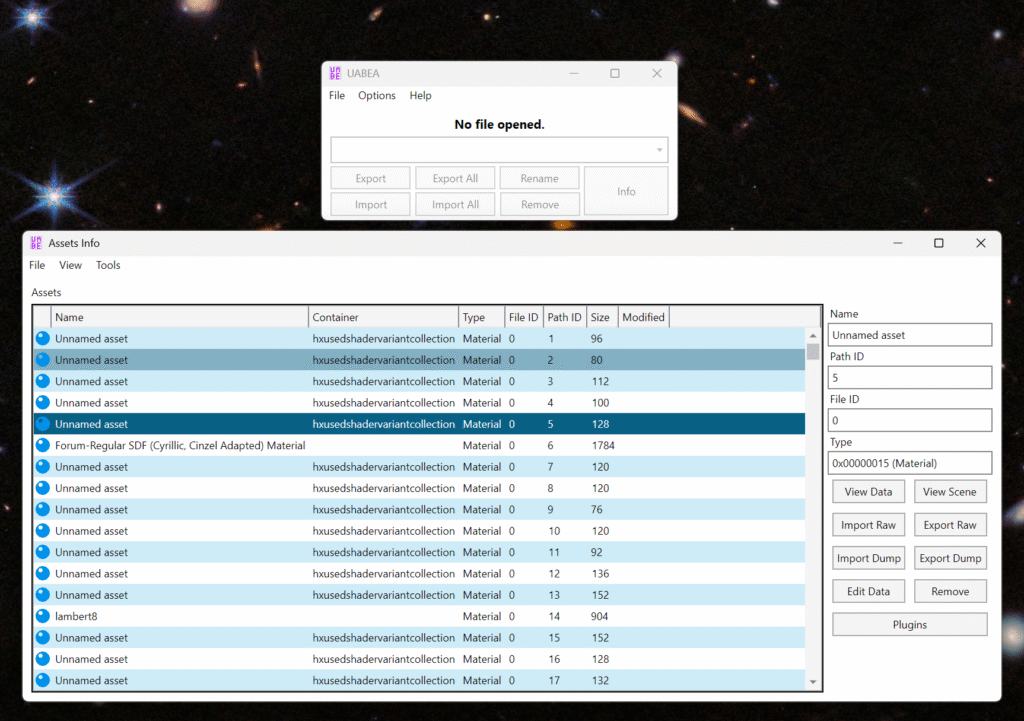
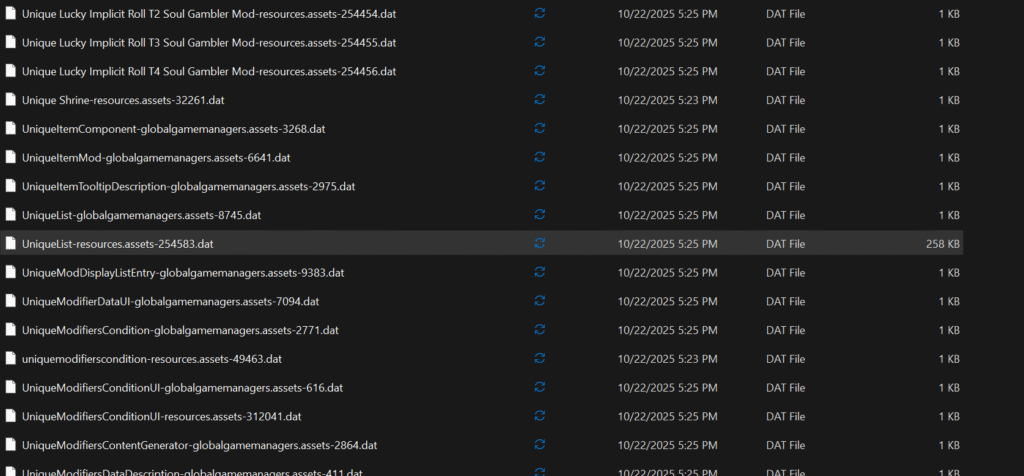
Once the files where extracted, I ran my search script again across the extracted file, to identify what asset file had the Unique Item Data in it. Andddd….. We have the file!!!!!
Here is what it looks like in the NotePad++ Hex Editor. (Yes, I’m old and blind.)
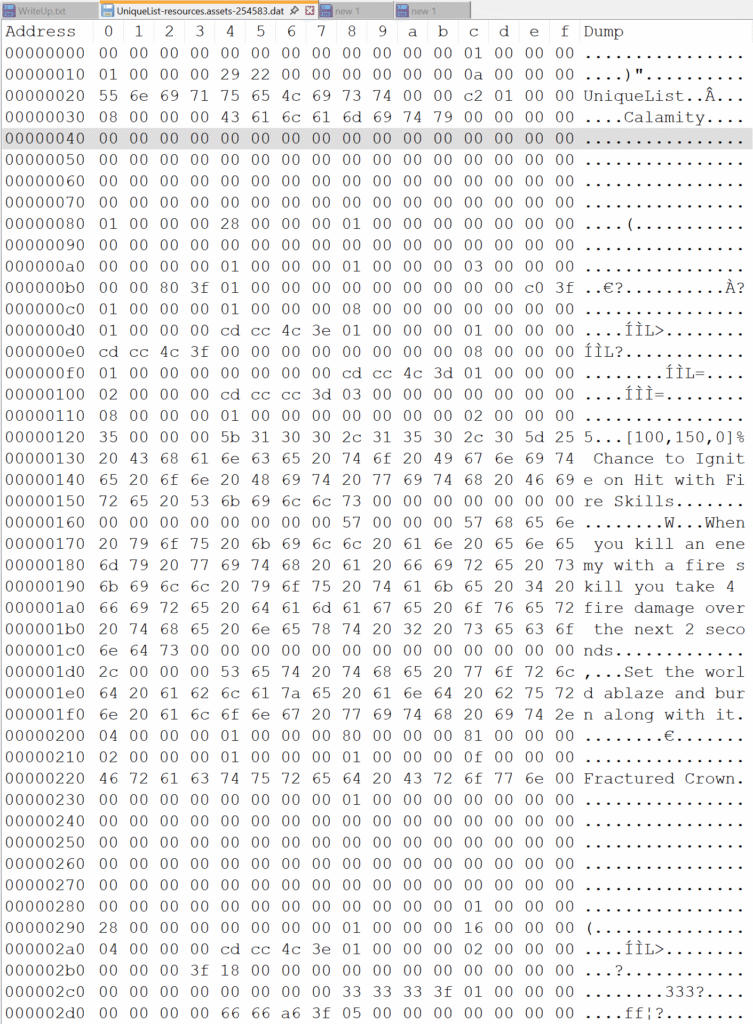
So what do you do with a raw binary file that you have no idea what the data structure is? You analyze the file for a header. Most everything seems to be a 4byte structure with one 4byte preceding each string to define the length. Eight 4byte decimals seem to form the header. Now, I can read these values without an issue but what are they? What do those values represent? The misery continuous…. DUN DUN DUN!!!!!

For now, we don’t care what the header file values mean. We can just parse the data and as we figure it out, rename the properties to match the name.
So what do you do next? You boot up your old friend Visual Studio and start a new console application. First you need to define a few model classes for the asset file. I started with a data object that would allow easy parsing of each block from the file. A block is an part of uniformed data object, specifically in this file it only really contains 4byte decimals or string.
I settled on this
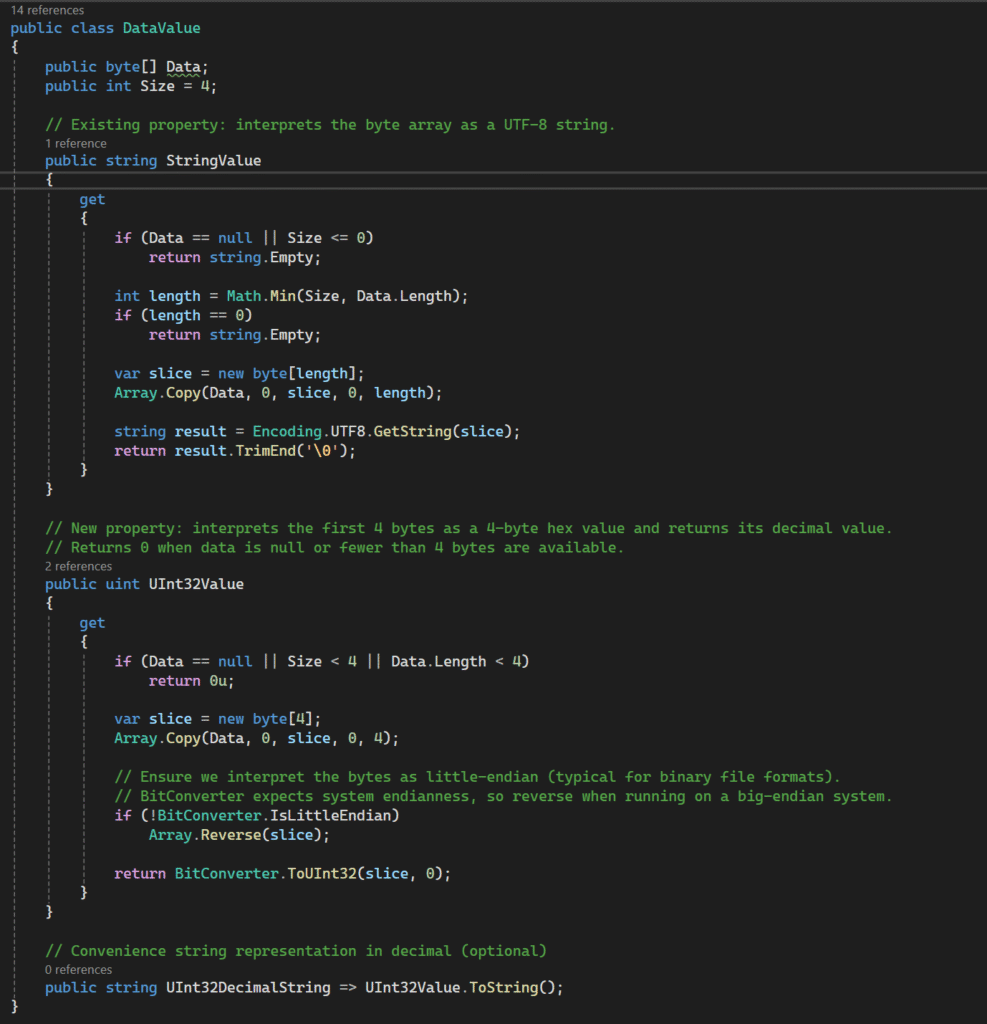
Then you need to build a DataFile class to parse the data into
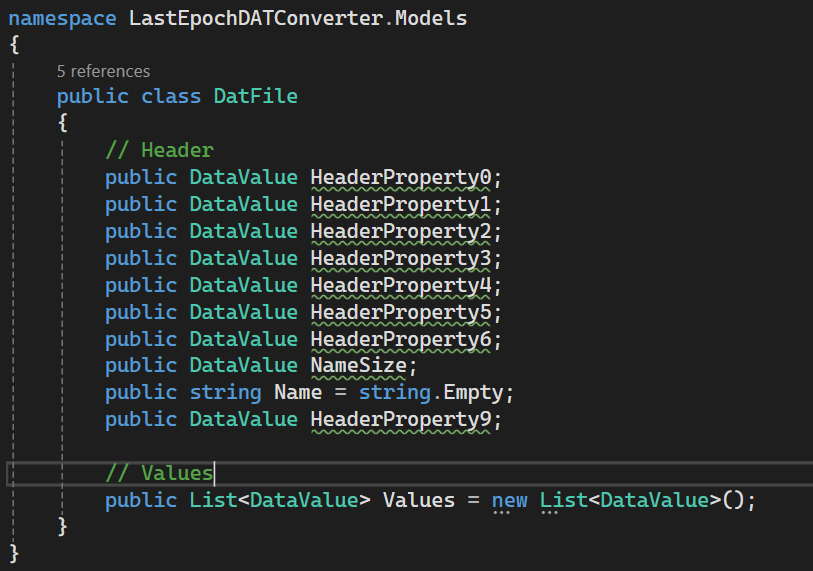
Right away I identified the name for the data file list. In this case it was “UniqueList”. This include the length of the string in the 8th block of the header using the 7th block for the size of the string.

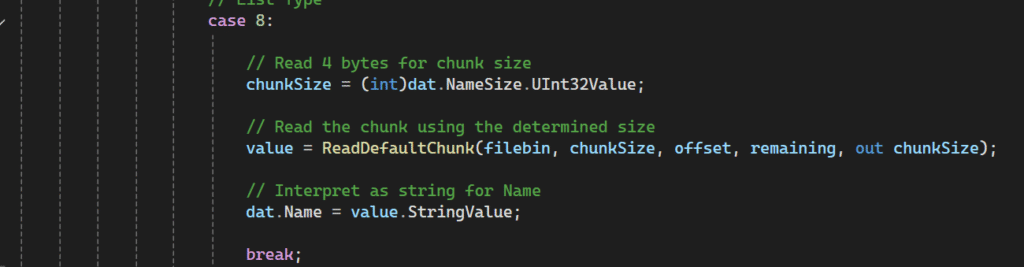
Then I had to handle the padding for the partly used 4byte when reading the string so the processed block was the right size. This completed the parsing of the file header! Progress………..
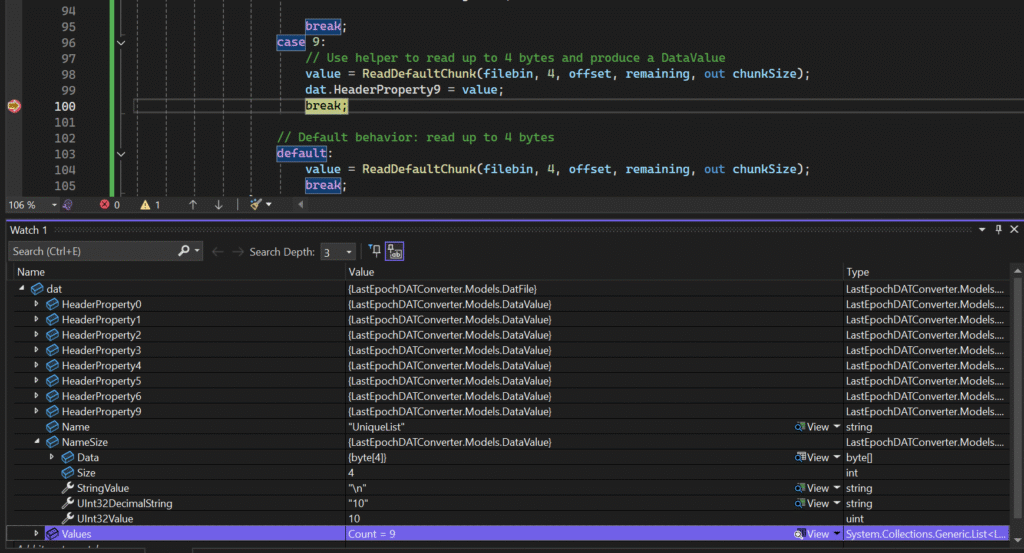
Next it would seem it the item data list but that’s going to be part two. So stay tuned!!!!
Leave a Reply